
Overview & Background
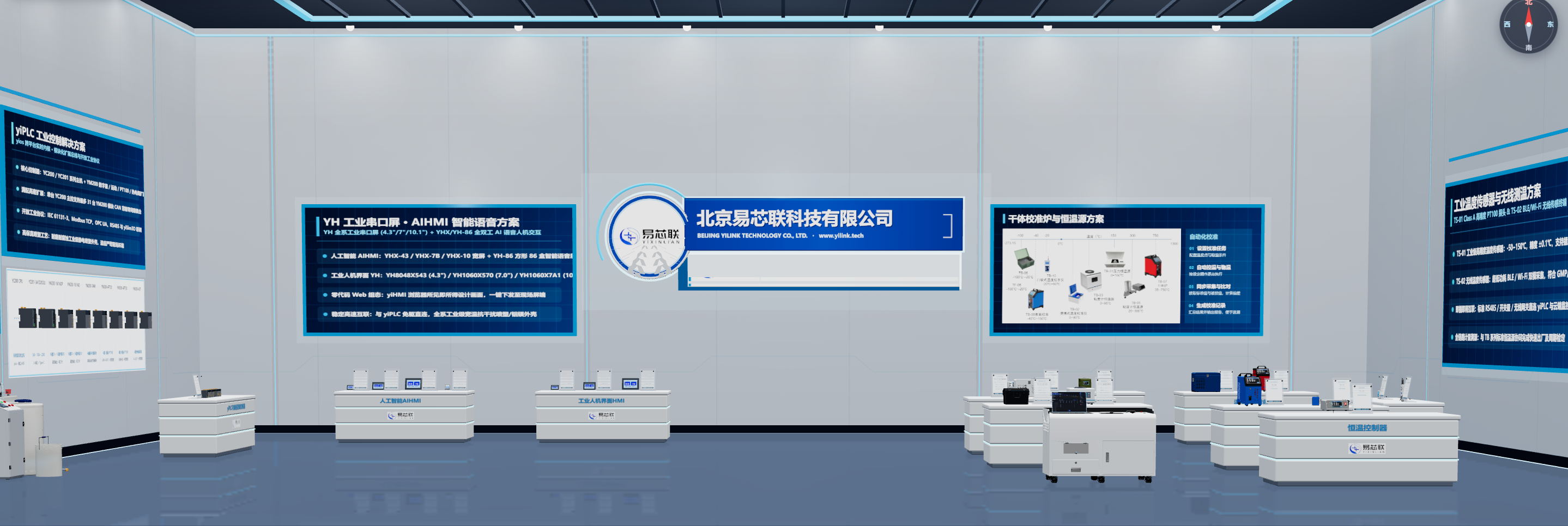
In the sales and marketing of industrial machinery, precision instruments, and automated production lines, heavy physical equipment is costly to transport, static brochures/videos lack interactivity, and software UIs are disconnected from mechanical structures. Powered by YiLink’s proprietary browser-native yiSim3D platform, the 3D Digital Exhibition Hall Solution brings your entire equipment showroom into the web browser. With a single link or QR code, customers can walk through a branded 3D exhibition hall on desktop or mobile without logging in, inspect floating product cards, open a 70/30 dedicated 3D inspection modal for 360° rotation and part-by-part disassembly (opening covers, extracting inserts or modules with poka-yoke interlock constraints), and even click the physical screen on a 3D machine to launch its real embedded controller UI or yiHMI screen. Sharing the same foundation as yiPLC Live and yiHMI, 3D models built during R&D simulation can be published directly to the marketing showroom without re-modeling.
Why Conventional Industrial Product Showcases Fall Short
- Heavy machinery is costly to ship to trade shows and client sites, making it difficult to showcase full product lineups and internal structures anywhere;
- Static brochures, PPTs, and videos only allow passive viewing—clients cannot inspect terminal details from any angle or experience real operation logic;
- Software UIs are disconnected from hardware models: traditional 3D viewers only show outer shells without interactive embedded screens or controller menus;
- Desktop 3D apps require heavy installations or plugins, preventing instant sharing via corporate websites, WeChat, or sales business cards.
Core Capabilities & Solution Highlights
Rapid Standardized 3D Showroom ConstructionBuilt-in showroom templates generate corporate logo walls, exhibition lighting, floor guideposts, zoned booths, and nameplates with millimeter-accurate placement of machines and parts.
Component-Level Interactive Disassembly & Poka-Yoke ConstraintsClick individual parts to open hinged covers, pull trays, remove inner chambers/modules, and trigger spinning fans or LEDs—complete with sequential safety interlock constraints.
Floating Info Cards & 70/30 Dedicated 3D Inspection ModalClick any exhibit for a floating summary card, or expand into the 70/30 inspection modal: 70% distraction-free 3D viewport for 360° zoom and disassembly, 30% structured specs and part toggles.
Seamless Linkage with Real Device Screen EmulatorsBind real Web device emulators or yiHMI screens via URL parameters and postMessage. Clicking the physical screen on a 3D machine pops up a live interactive UI to test menus and setpoints.
One-Click Login-Free Fullscreen Sharing & Static DeploymentGenerate shareable links that launch directly into fullscreen 1.7m first-person walk-through mode without login on PC or mobile; easily host as static web assets on corporate sites or CDNs.
Synergy with yiPLC Ecosystem: One 3D Model, Dual ValueReuse 3D equipment models from yiPLC Live / yiSim3D engineering verification directly for marketing—scaling from single-instrument disassembly to full YC200/YM200 automated production lines.
3D Digital Exhibition Hall & Live Screen Emulator Interaction
Visitors transition effortlessly between first-person hall walk-throughs, floating product cards, 70/30 disassembly modals, and live embedded screen emulators.
Automated Closed Loop & Cloud Calibration
4-Step Rapid Delivery & Website Integration Workflow
Build and publish an interactive browser 3D exhibition hall in four streamlined steps.
13D Model Import & Movable Part Rigging
Import standard glTF / GLB models and configure hinge axes, travel limits, and sequential poka-yoke rules for covers, inserts, and modules.2Product Specs & Live Screen Emulator Binding
Enter floating card highlights and technical parameters, and bind web emulator URLs or yiHMI projects to on-device screens.3Showroom Layout, Lighting & Default Camera Preset
Arrange booths, exhibits, and corporate branding, and calibrate the default entry panorama and 50mm human-eye focal length.4One-Click Share Link & Website / Trade Show Embedding
Export static web bundles or copy login-free fullscreen share links for corporate websites, QR codes, online launches, and trade show touchscreens.Target Marketing, Exhibition & Training Scenarios
Empowering Real-World Deployments Across IndustriesWebsite Digital Upgrade
Corporate Website "3D Product Center / Cloud Showroom"
Replaces static product grids and PDF catalogs, elevating brand image and visitor engagement while letting prospects inspect internal engineering details online.
Remote Pre-Sales
Online Product Launches & Remote Pre-Sales Demos
Share a link or screen during remote calls to rotate/disassemble equipment and operate live on-screen menus simultaneously.
Trade Show Engagement
Offline Trade Show Interactive Large-Screen Kiosks
Showcase your entire equipment portfolio and full-factory lines on booth touchscreens when floor space is limited, with QR codes for visitors to take away.
Training & Enablement
After-Sales Service Training & Distributor Enablement
Help new engineers, distributors, and end users master mechanical structures, assembly sequences, and panel operations through interactive 3D disassembly.
Core Platform & Ecosystem Components
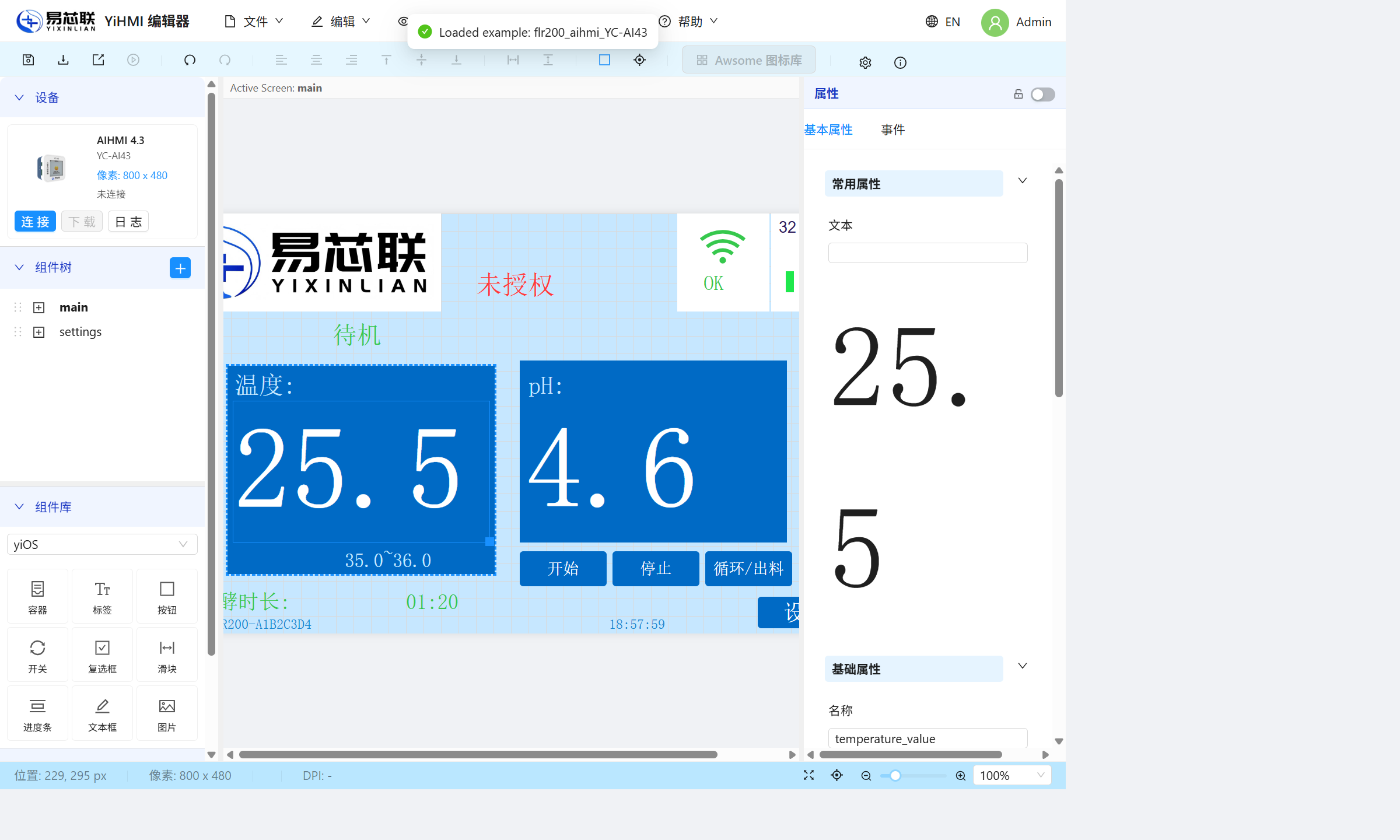
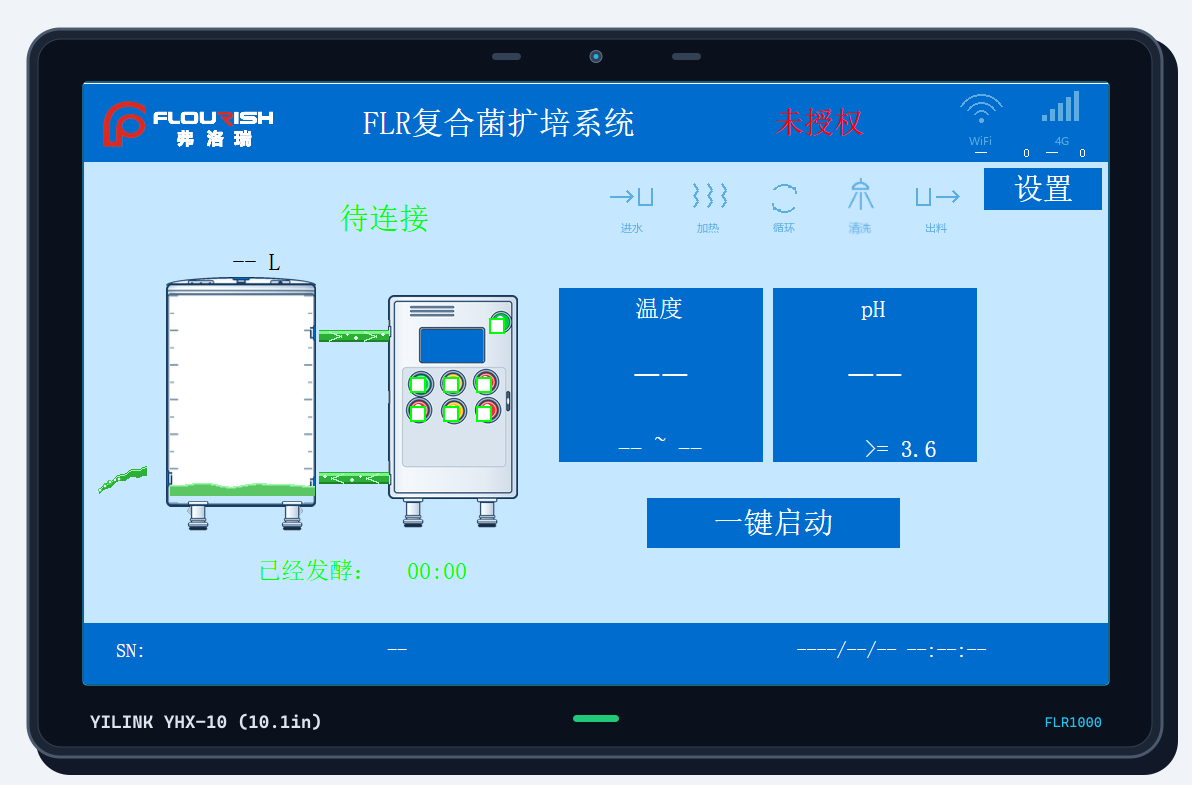
Core Hardware Instruments and Software Platforms in This Solution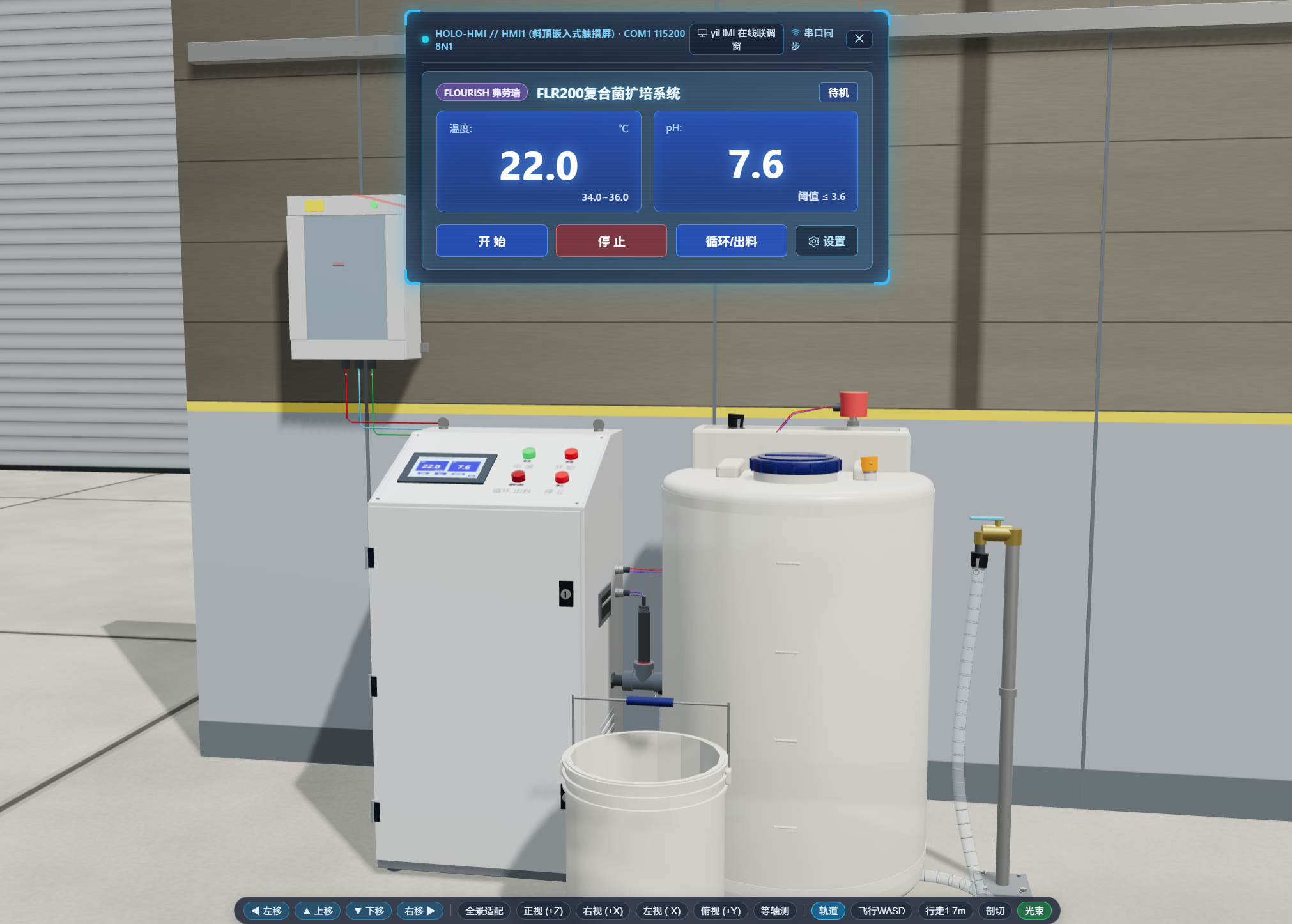
Explore more solutions:
Beijing YiLink Technology Co., Ltd.
Address: Room 8-808, Yard 19, Xincheng East Street, Mentougou District, Beijing
Phone: 18511281466
Email: tiandezhen@sina.com

Contact Us
Copyright ©2026 Beijing YiLink Technology Co., Ltd.. All Rights Reserved.
京ICP备2024072315号-3v0.6.0